The preferences in the Outlook Add-in represent the Authentication Choices and Security Controls that you want your new emails to default to. The preferences can be turned on and off by the user at any time with the exception of those that have been set and locked by an enterprise policy.
Video Tutorial
How to Update Preferences for Outlook Add-in
Instructions
1. Click the New Email button.
2. Click the Options button in the new message window or from the Delivery Trust panel at the top right of the new message window. (cog wheel icon)
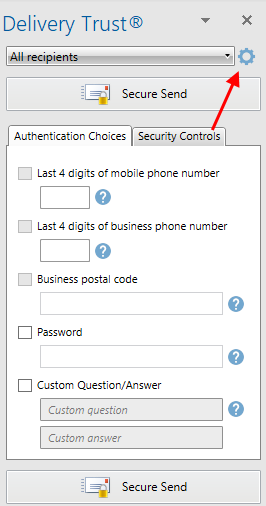
3. In the Options menu, click on the Preferences button located in the Authentication and Security Policies area
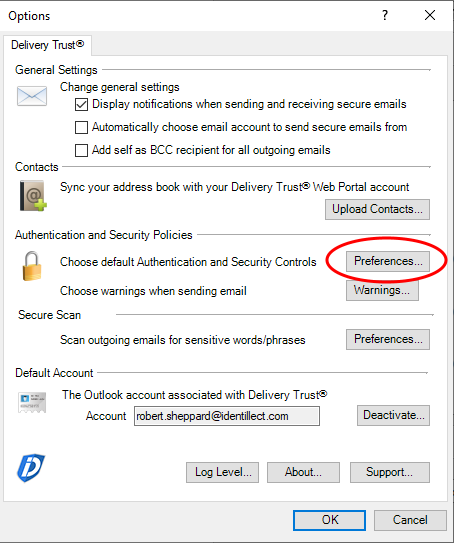
4. You are now able to update the Authentication Choices and Security Controls that are applied when sending secure emails

5. Click OK to save your changes
Related Topics