The remote support feature allows Identillect technicians to log into your account remotely to fix or diagnose a problem. You can activate or deactivate this feature at any time.
Instructions
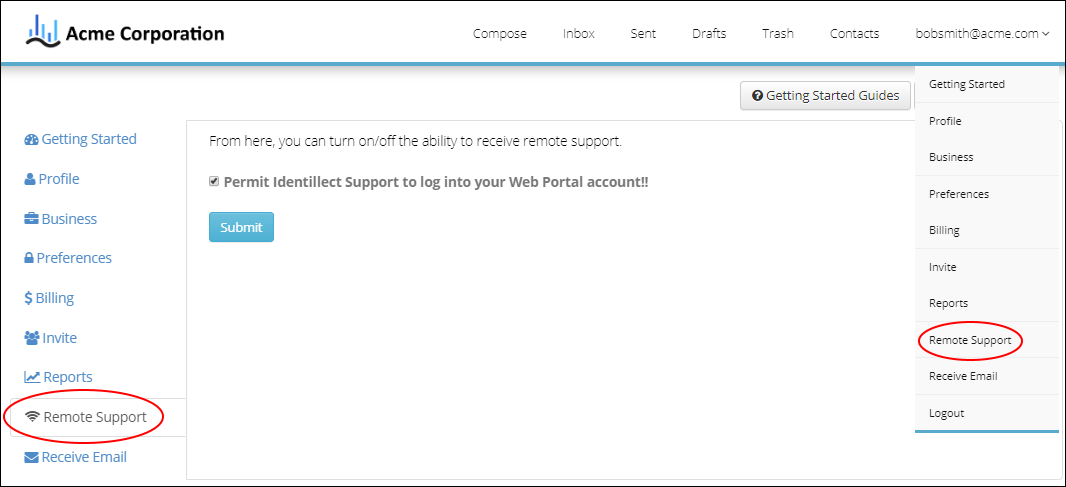
1. Click on the Remote Support tab on the left side of the screen and you will be directed to the Remote Support page. Alternately, if you mouse over the email address on the right top of the screen you will be presented with a drop down menu from which you can select the Remote Support menu item.
2. Click on the Permit Identillect Support to log into your Web Portal account check box. Then click the Submit button.
Related Topics