The preferences are what define how an email is sent, received, viewed and edited by the mail recipient. These preferences range from how the recipient can access the message to how they view the message. The preferences can be set at an administrative level for system wide implementation or at an individual level for personal customization. Updating these preferences will depend on the user and what type of system access they have. The preferences consist of User Preferences, Security Controls and Authentication Choices.
Instructions
1. Click on the Preferences tab on the left side of the screen and you will be directed to the Preferences page. Alternately, if you mouse over the email address on the right top of the screen you will be presented with a drop down menu from which you can select the Preferences menu item.
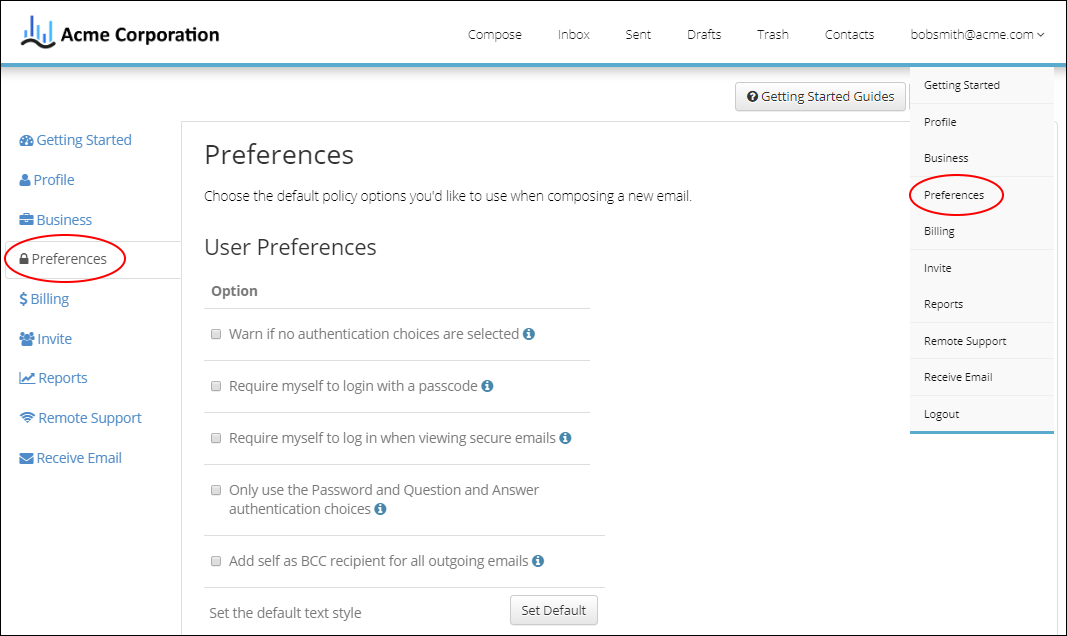
2. Next you will be presented with a User Preferences page. This screen lists three types of preferences; User Preferences, Security Controls and Authentication Choices.
Check or uncheck the preferences you want to turn on or off. If a preference has been set and locked by an administrator it will be unavailable to be changed.
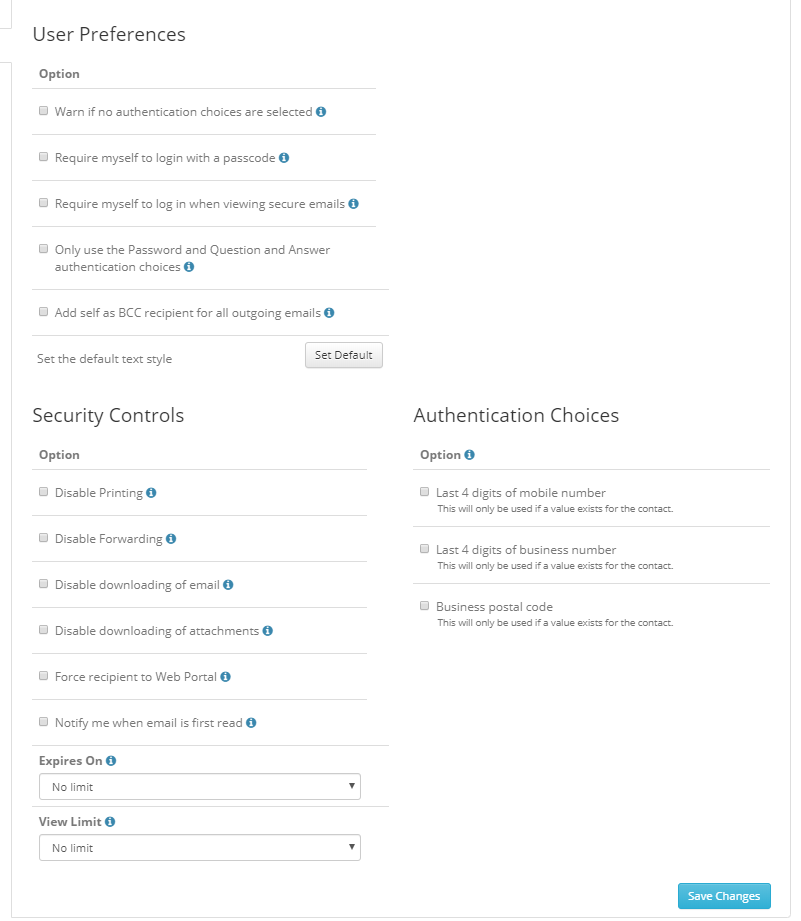
3. Once you have finished you can save your changes by clicking on the Save Changes button.